
Understand your audience and sources
See which devices, languages and sites your clicks come from, and why some arrive with no source at all.
Open Analytics
The Overview tells you how many people clicked. The other tabs of Analytics tell you who they are and how they found you, which is what you need to decide where to post next and what to build for.
Open the Audience tab
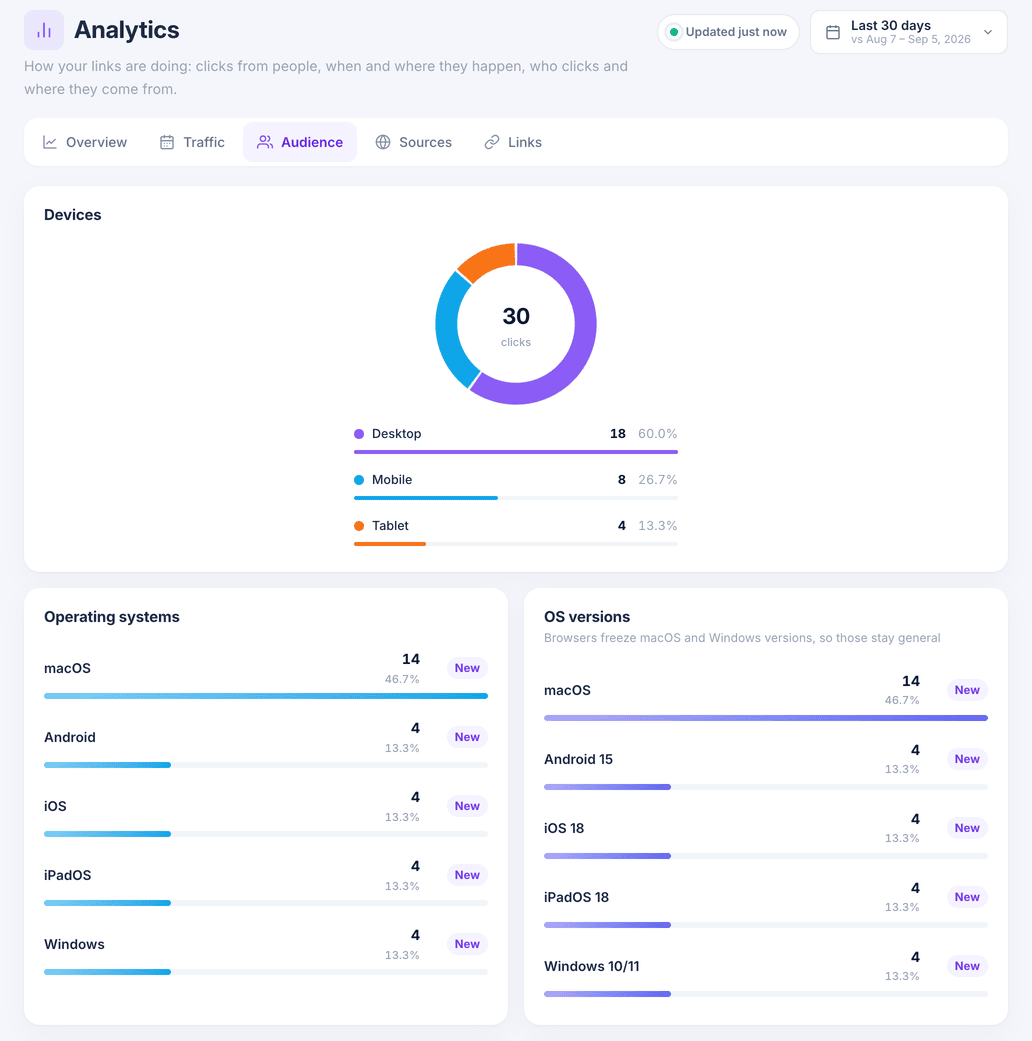
In Analytics, choose Audience. Devices splits clicks into desktop, mobile and tablet; Operating systems and OS versions go one level deeper, followed by Browsers and In-app browsers.
Countries comes from the visitor's network, and Languages is the language each browser asks for first, which is the one to write your landing page in.
See where clicks come from
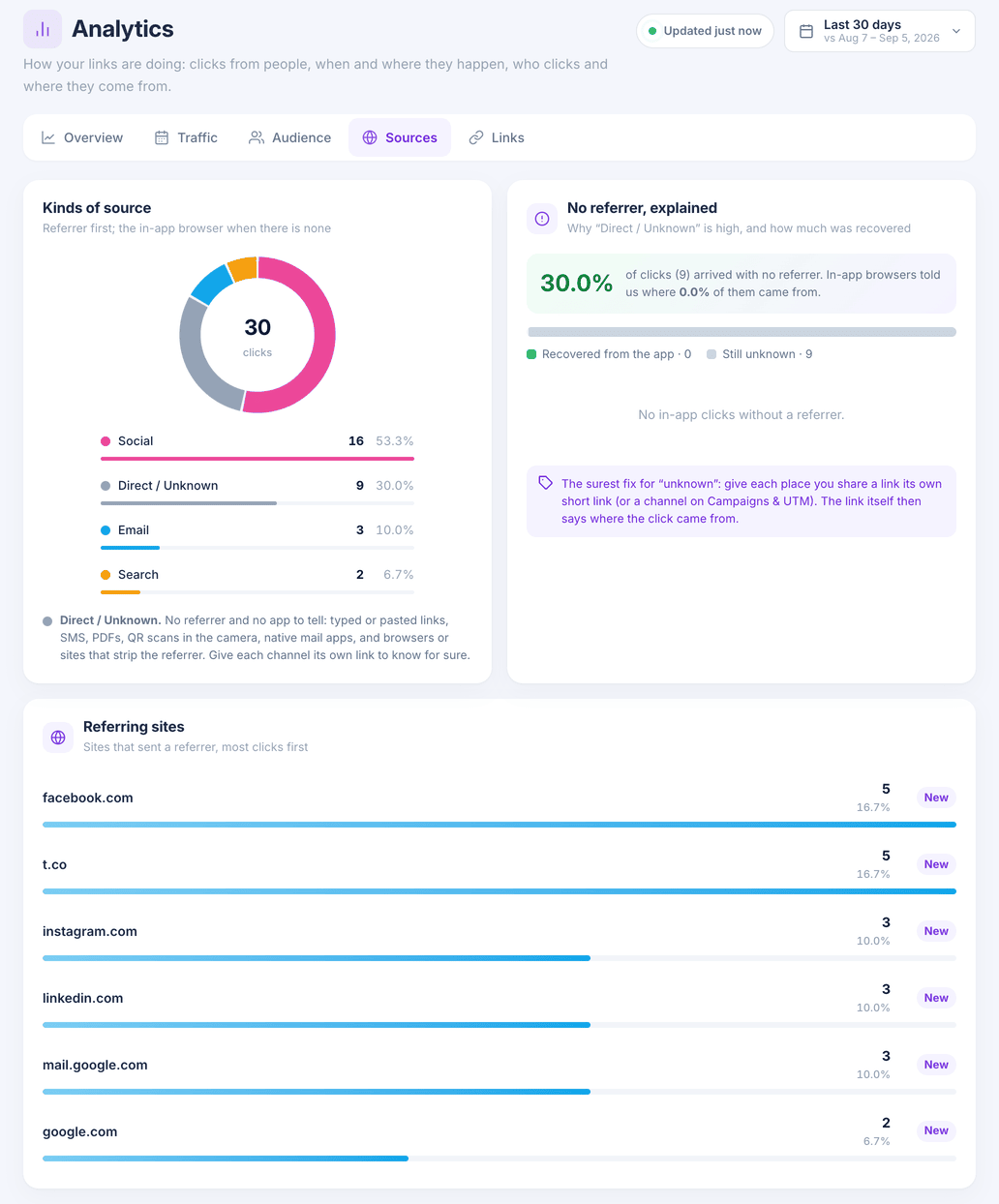
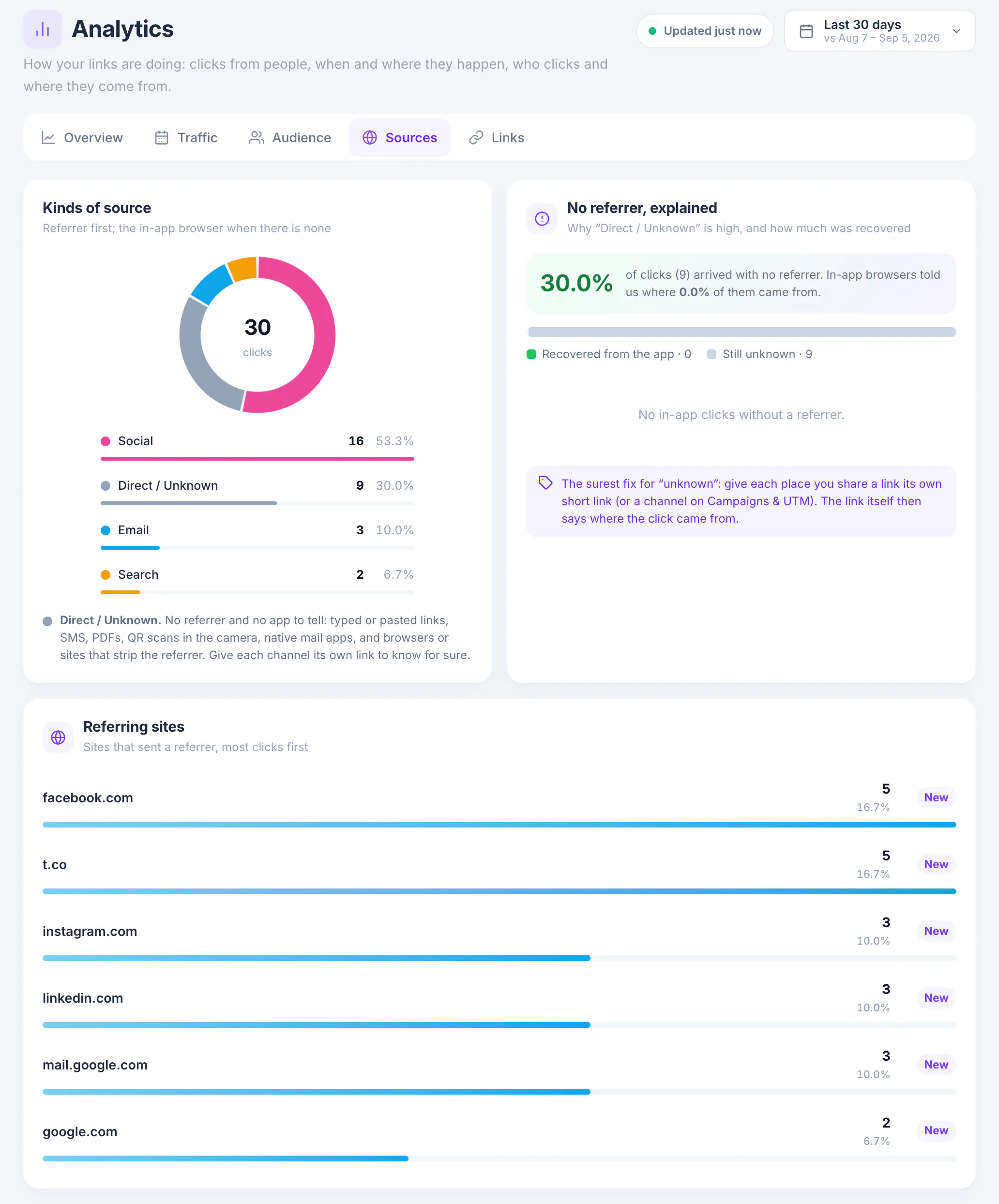
Choose Sources. Kinds of source groups every click as Social, Email, Search or Direct / Unknown, and Referring sites lists the sites that sent visitors, most clicks first.
Read Direct / Unknown correctly
A click is Direct / Unknown when nothing says where it came from: a link that was typed or pasted, opened from SMS, a PDF, a QR scan or a mail app, or sent by a site that hides the referrer. No referrer, explained shows how large that share is and how much of it in-app browsers gave away.
The surest fix for unknown sources is to give each place you share a link its own short link, or a channel in Campaigns & UTM. The link itself then says where the click came from.
Compare links
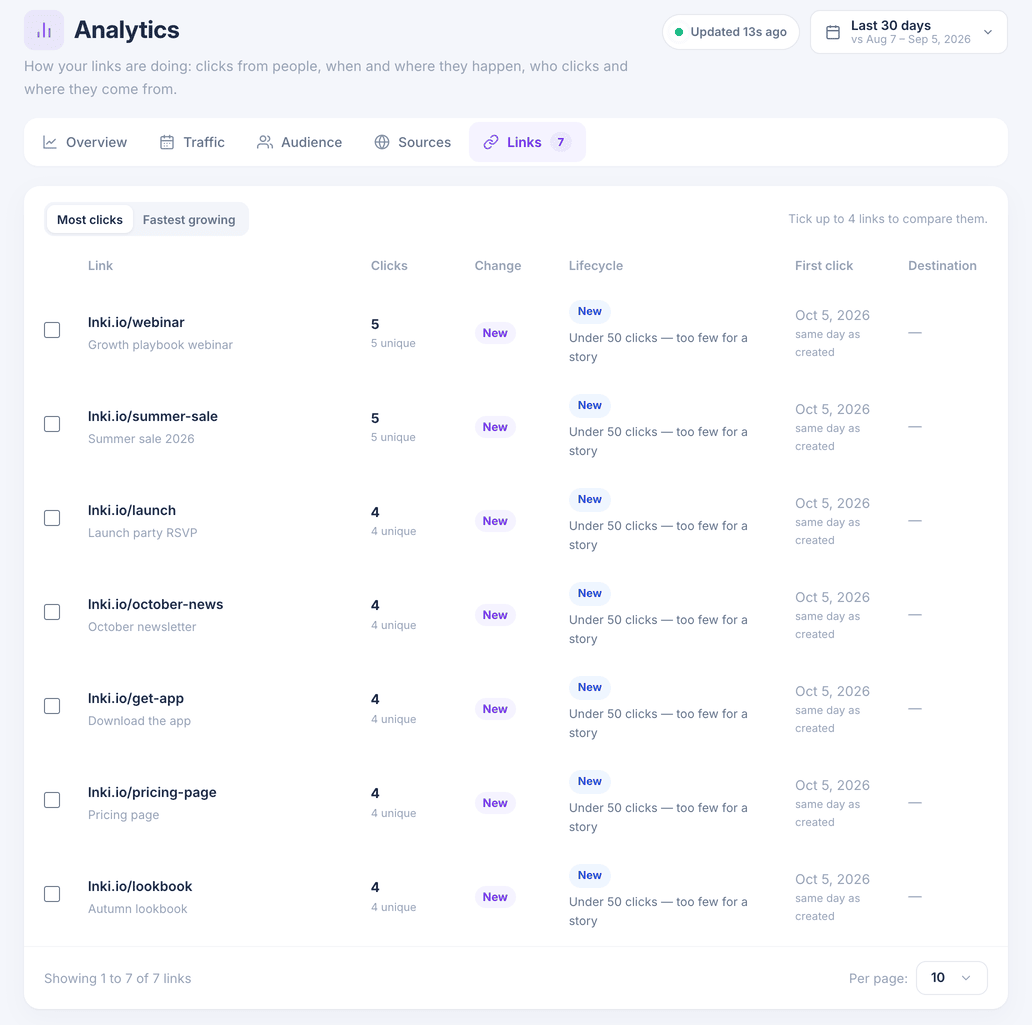
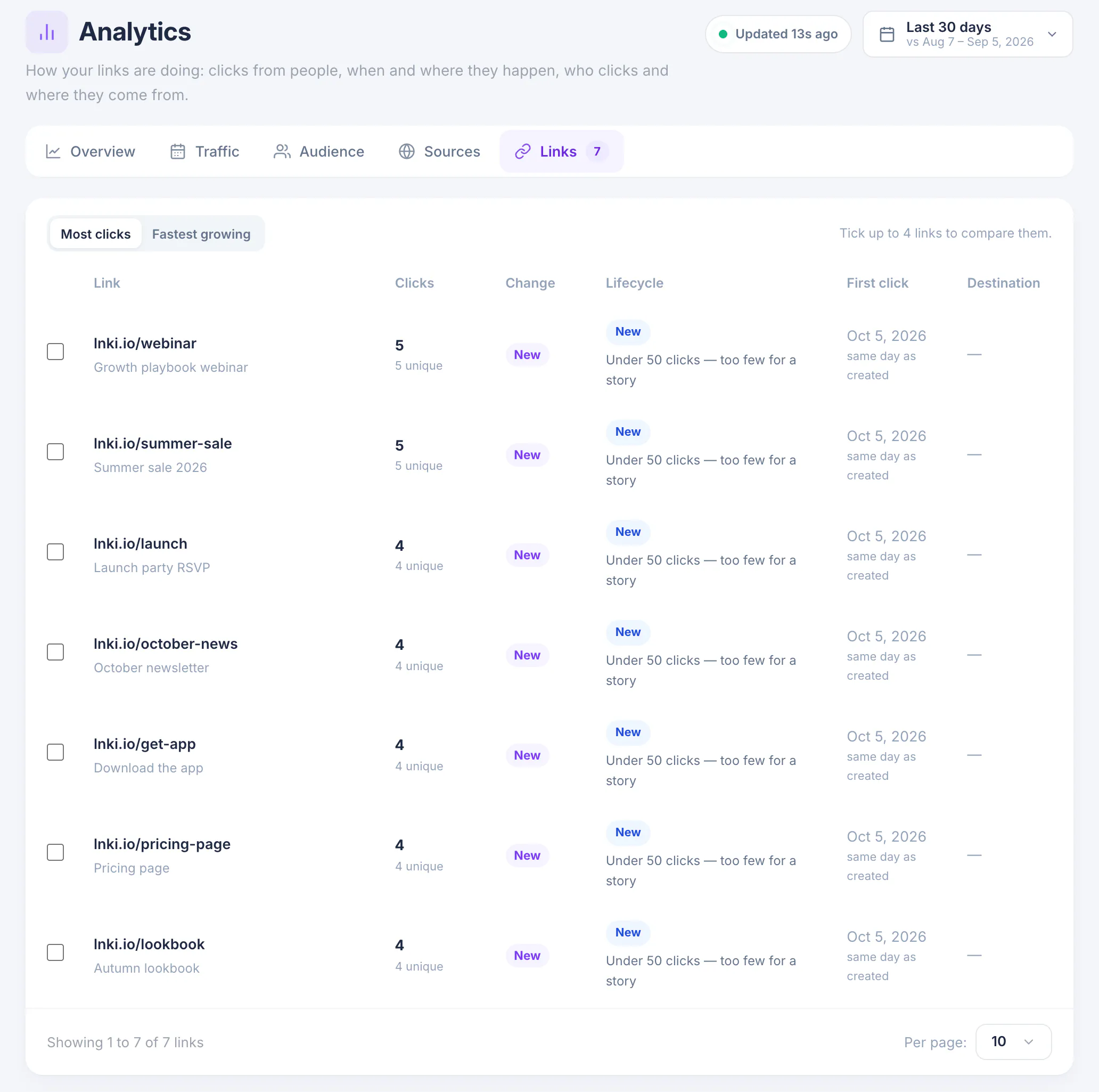
Choose Links for one row per link with its clicks, unique visitors, change against the previous period and the date of its first click. Switch between Most clicks and Fastest growing, and tick up to four links to compare them.
What you have now
You know what your audience uses, which sources send them, and which links are pulling their weight.