
Split traffic with a link rotator
Send one short link to several destinations to A/B test pages or spread visitors between offers.
Open Link Rotator
A rotator is one short link with more than one destination. Each visitor is sent to one of them according to a strategy you choose, which makes it a simple way to compare two landing pages or to share traffic between offers.
Before you start
- A paid plan. Starter includes 5 rotators; Pro and Business have no limit.
- At least two destination URLs.
Create the rotator
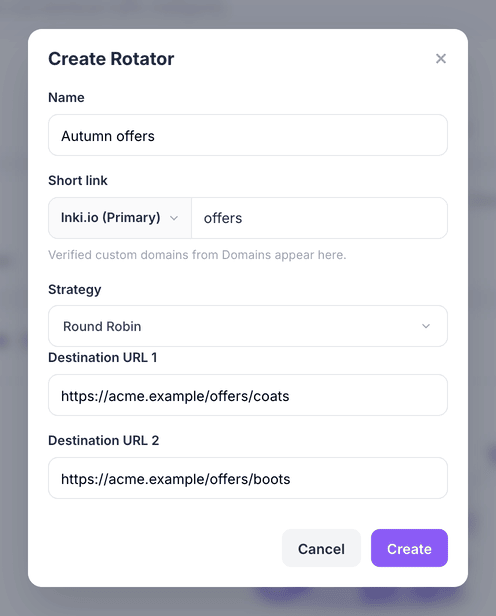
Open Link Rotator and choose Create Rotator. Give it a Name, then set its Short link: the domain and the back-half people will click.
Choose a strategy
Round Robin distributes traffic evenly, one destination at a time in rotation. Weighted follows the percentages you set. Random picks a destination at random for each visitor. Sequential serves the destinations in a fixed order, then repeats.
For a fair A/B test, Round Robin is the usual choice.
Add the destinations
Fill in Destination URL 1 and Destination URL 2, then choose Create. The rotator's short link works immediately.
Compare the results
Select the rotator to see its targets and how clicks were shared between them. View Analytics on the Link Rotator page shows performance over time.
Pause a rotator when a test is over, and archive it when you no longer need it.
What you have now
One link now feeds several pages, and you can see which one earns the clicks.