
Make your first API request
Create an API key, exchange it for an access token, then shorten a URL and list your links as JSON.
Open API Keys
The Lnki API creates and manages the same links, QR codes and imports you see in the dashboard. In a few minutes you will have a key, a token and a short link made by your own code.
Before you start
- A workspace on the Business plan, which includes API access at 5,000 requests per minute for each key.
- A terminal with
curl, or any HTTP client.
Create an API key
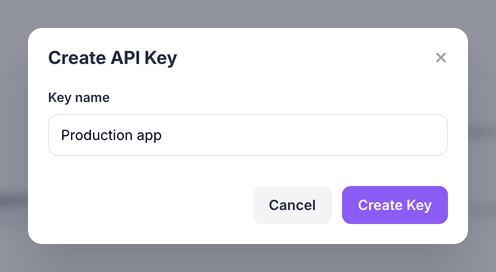
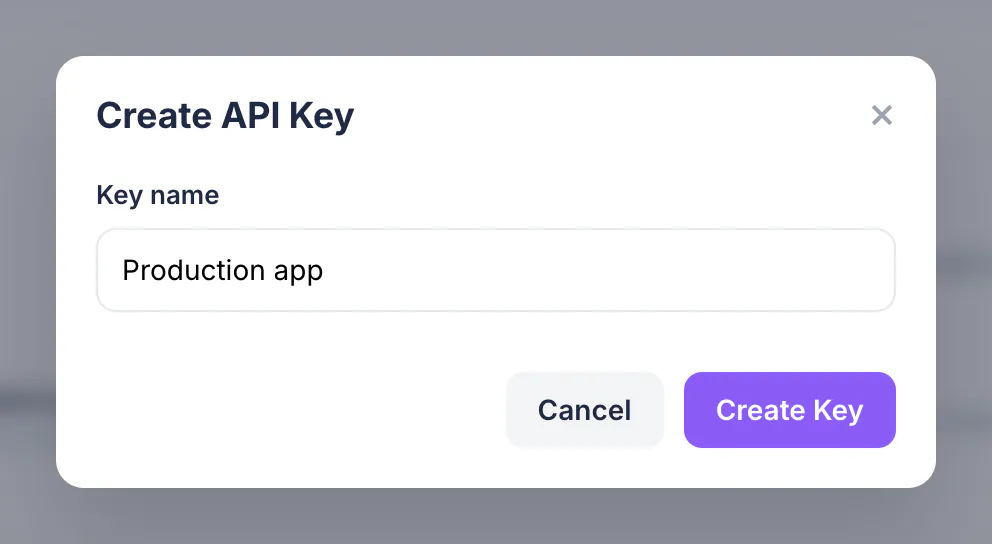
Open API Keys and choose Create New API Key. Name it after the app that will use it, for example Production app, and choose Create Key.
Copy the key now
The full key, starting with
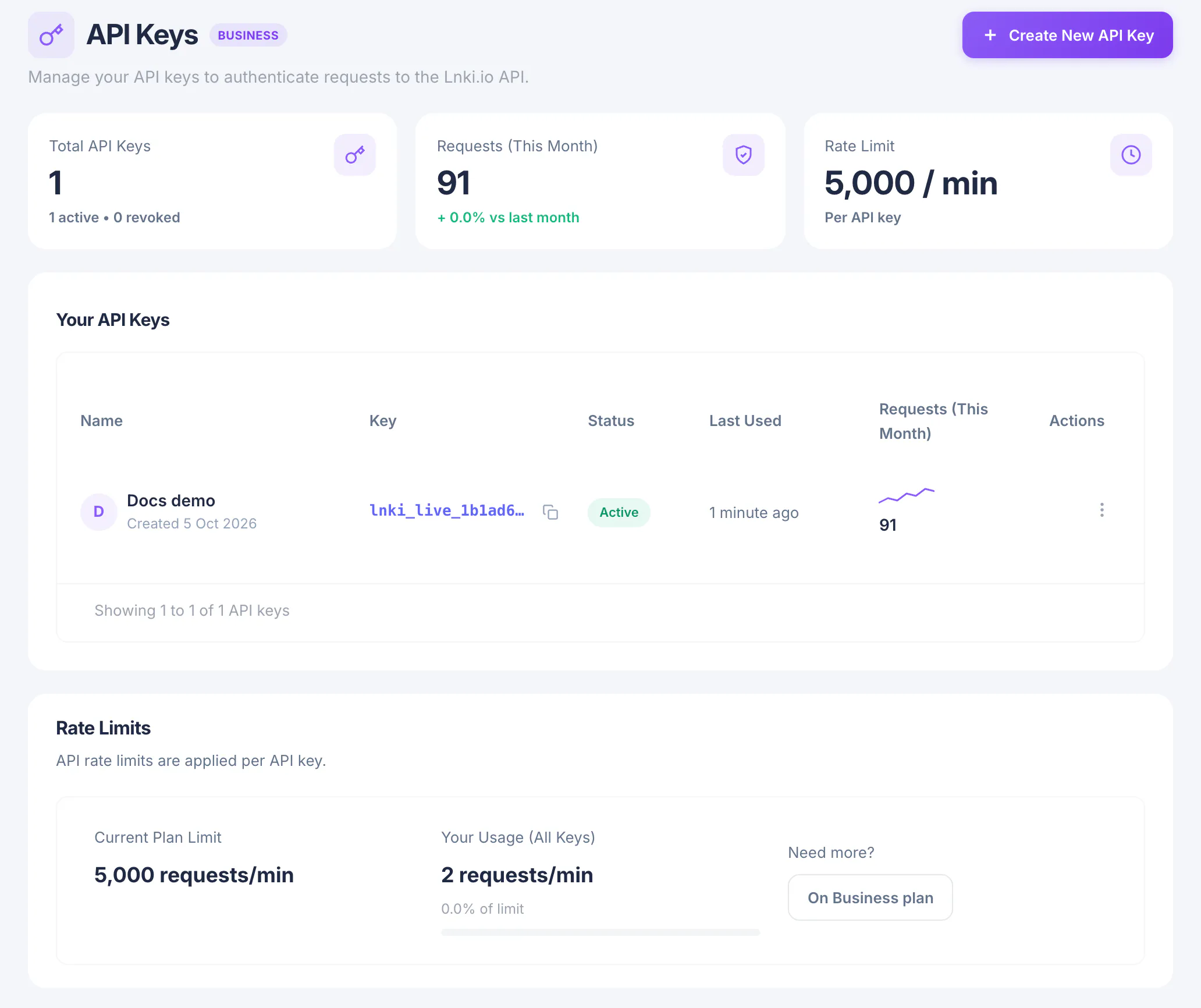
lnki_live_, is shown once. Copy it into your secret manager or an environment variable. Afterwards the page lists only its first characters, together with its status, last use and request count.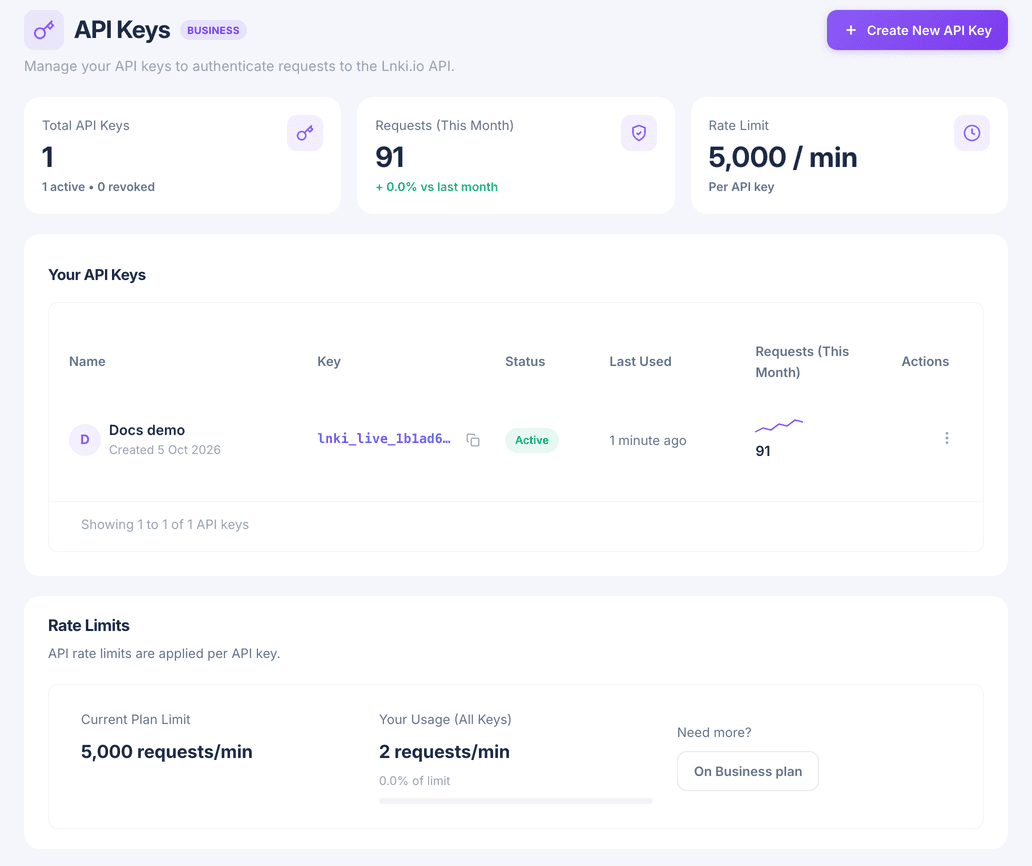
Treat a key like a password: keep it on your server, never in a web page or a mobile app. If one leaks, choose Regenerate or Revoke from its row menu; every token made from it stops working at once.
Exchange the key for an access token
The key itself is only sent to the token endpoint. Post it there and you get an access token that lasts one hour, plus a refresh token for getting the next one.
The response's
access_tokenstarts withlnki_at_. Keep it, and therefresh_token, for the following steps.Get an access tokencurl -X POST https://lnki.io/api/v1/oauth/token \ -H "Content-Type: application/json" \ -d '{ "grant_type": "api_key", "api_key": "YOUR_API_KEY" }'Create a short link
Send a
POSTto/api/v1/linkswith the long URL and the access token as a Bearer token. Onlydestination_urlis required.The API answers
201 Createdwith the new link.short_host_pathis the short link without its scheme, herelnki.io/summer-sale. Open the dashboard and the link is in My Links.Create a linkcurl -X POST https://lnki.io/api/v1/links \ -H "Authorization: Bearer YOUR_ACCESS_TOKEN" \ -H "Content-Type: application/json" \ -d '{ "destination_url": "https://example.com/summer-sale", "slug": "summer-sale" }'List your links
A
GETon the same path returns your links a page at a time. Addqto search andsortto order them. Every response carriesX-RateLimit-Remaining, so you can see how much of this minute's allowance is left.List linkscurl "https://lnki.io/api/v1/links?per_page=25&sort=clicks-desc" \ -H "Authorization: Bearer YOUR_ACCESS_TOKEN"
Refresh the token when it expires
After an hour a request answers
401with the codetoken_expired. Post the refresh token to the same token endpoint and you get a new pair. A refresh token works once, so store the new one each time.Refresh the tokencurl -X POST https://lnki.io/api/v1/oauth/token \ -H "Content-Type: application/json" \ -d '{ "grant_type": "refresh_token", "refresh_token": "YOUR_REFRESH_TOKEN" }'
What you have now
Your code can now authenticate, create and read links. The API reference covers every parameter, QR codes, bulk imports, errors and rate limits, and has a console to try each request.