
Create your first short link
Paste a long URL, pick a memorable back-half and share a link that is ready in seconds.
Open Create short link
A short link turns a long address into one that fits anywhere and tells you how often it is clicked. This walks through the Create page from an empty field to a link you can share.
Open the Create page
From anywhere in the dashboard choose Create new in the top bar, or open My Links and choose Create Link. Either way you land on Create short link.
Paste your long URL
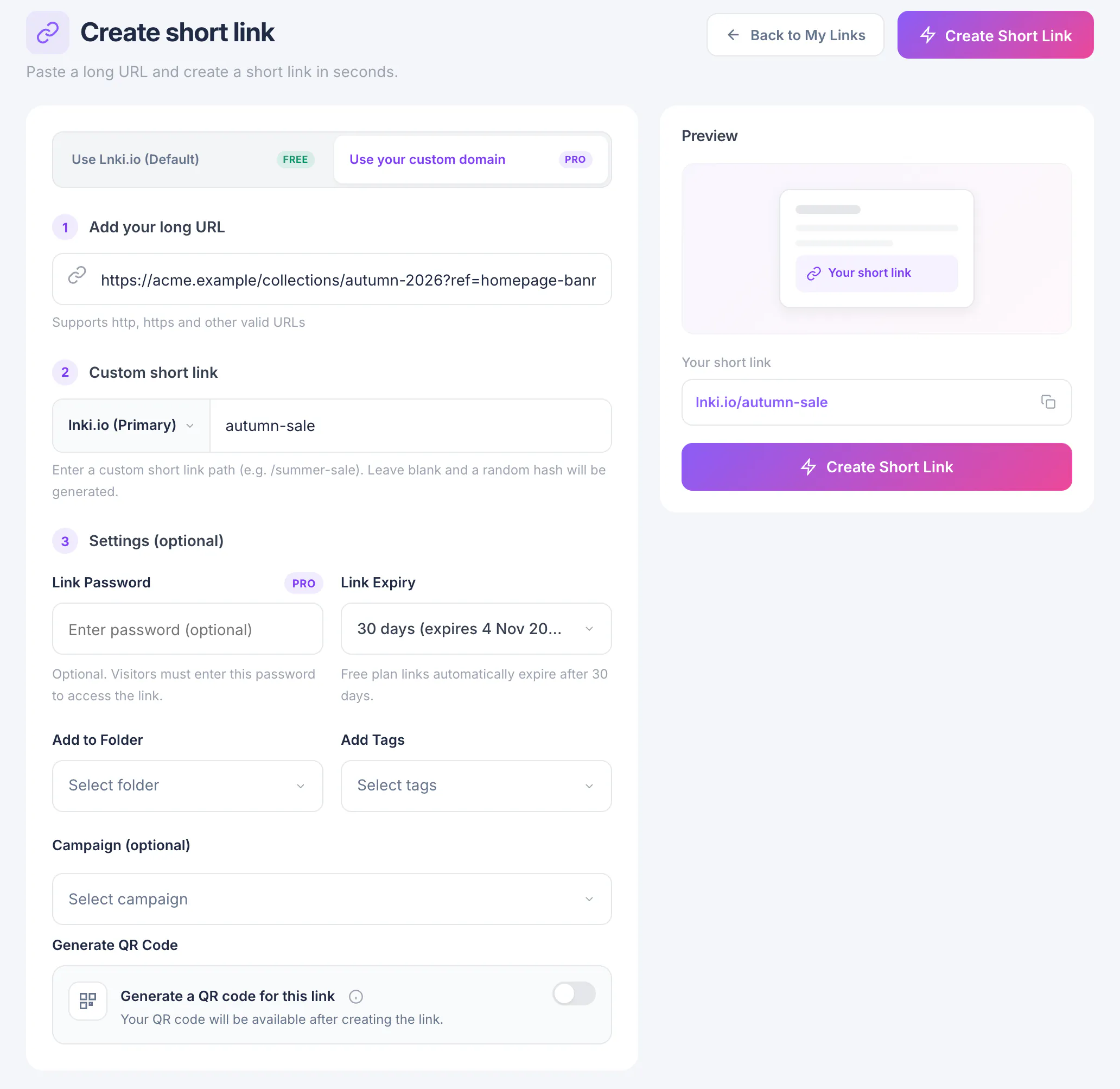
Put the address you want to share into Add your long URL. Any
httporhttpsaddress works, including ones that already carry query parameters.The Preview card on the right shows the short link you are about to get.
Choose your own back-half (optional)
Switch to Use your custom domain and a second step appears: Custom short link. Type the words you want after the slash, for example
autumn-sale. Use lowercase letters, digits,-and_.Leave it blank and Lnki generates a short random one for you.
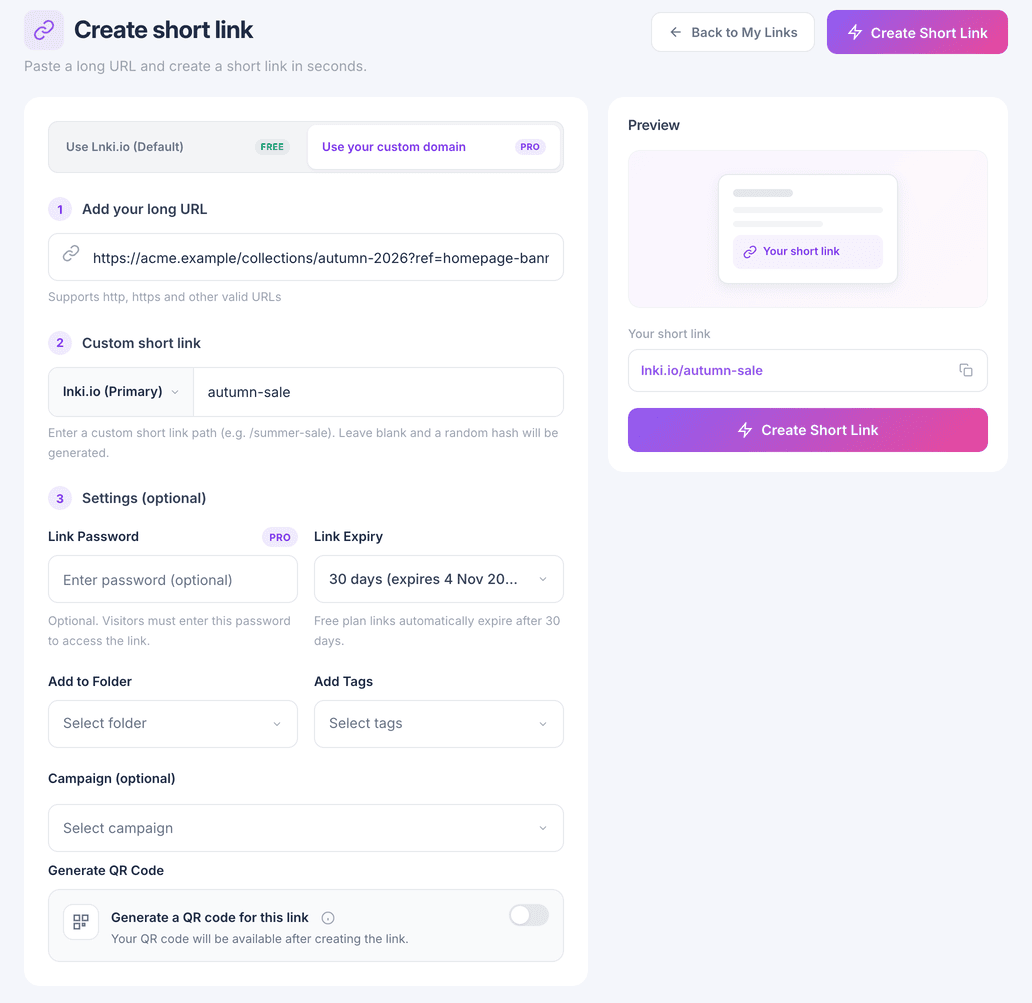
Custom back-halves are part of the paid plans. On the trial every link gets a generated one.
Create the link
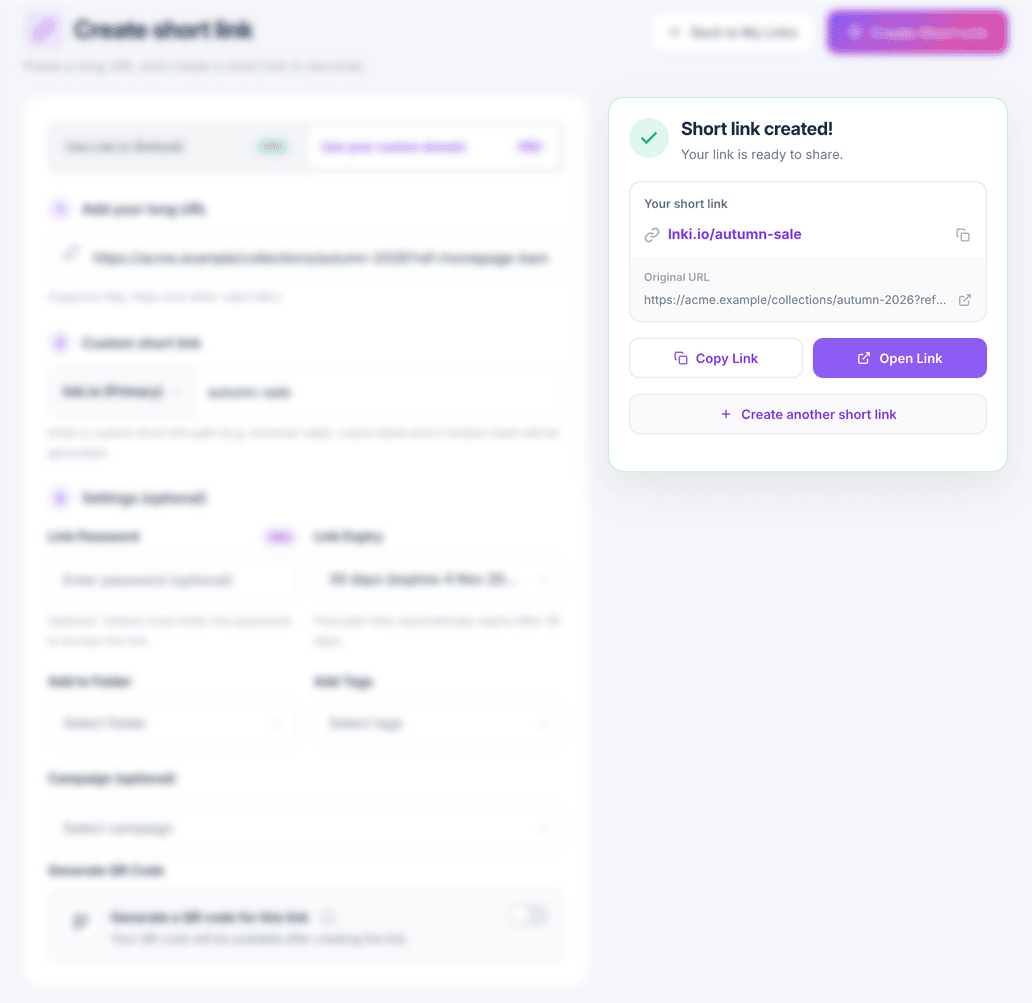
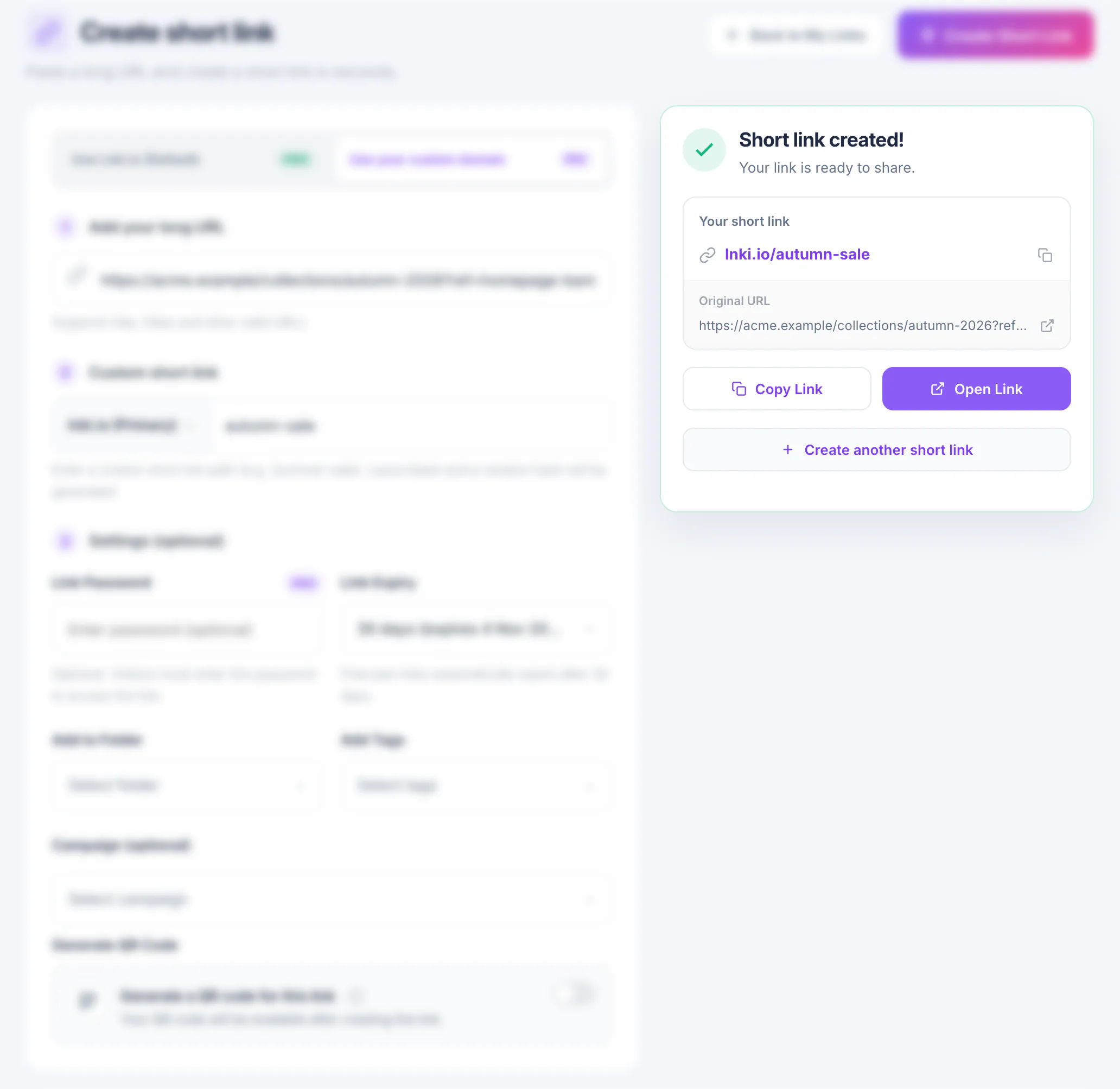
Choose Create Short Link. The preview turns into Short link created! with the new link, its original URL and two buttons: Copy Link and Open Link.
Create another short link clears the form for the next one.
Find it again in My Links
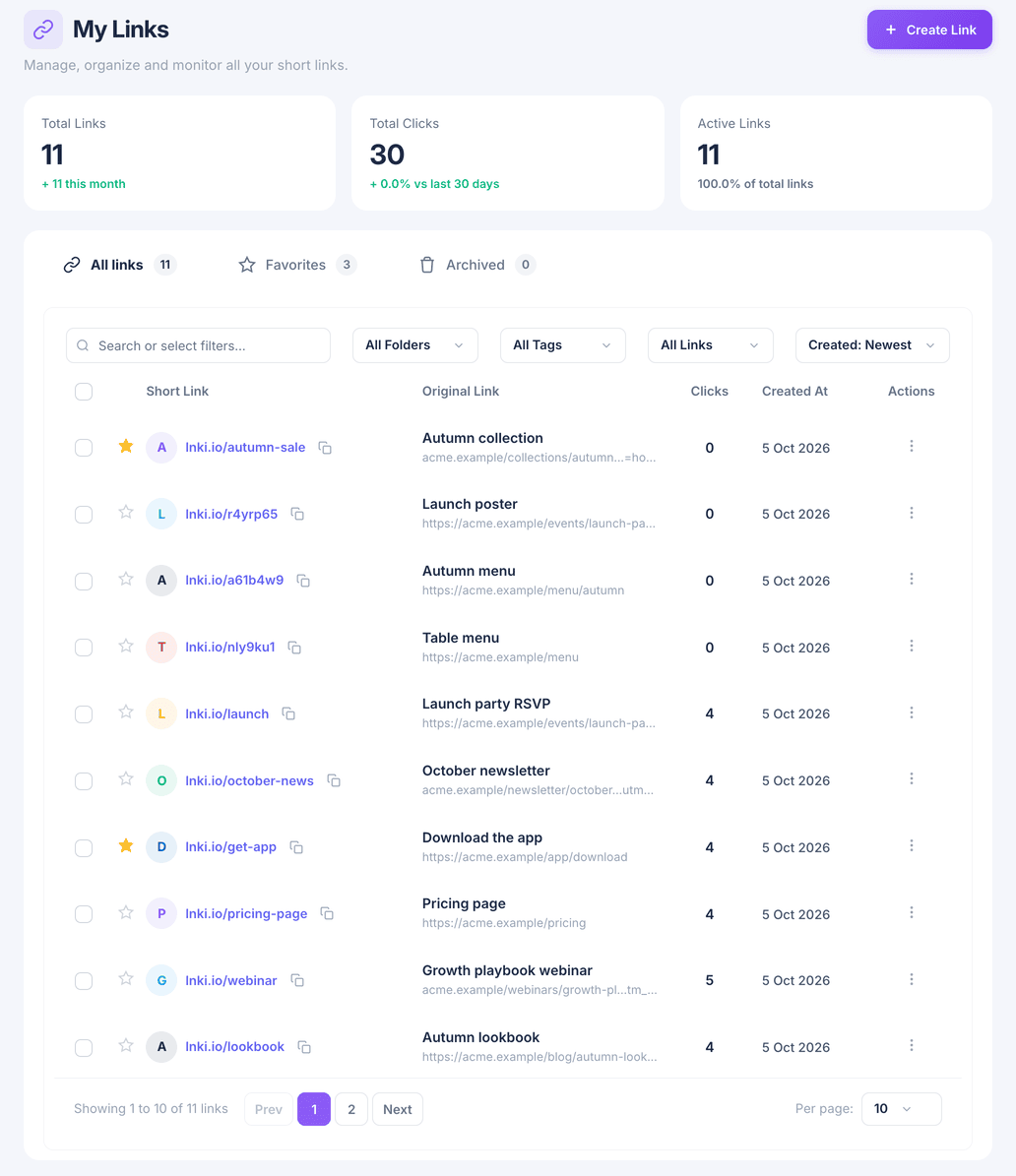
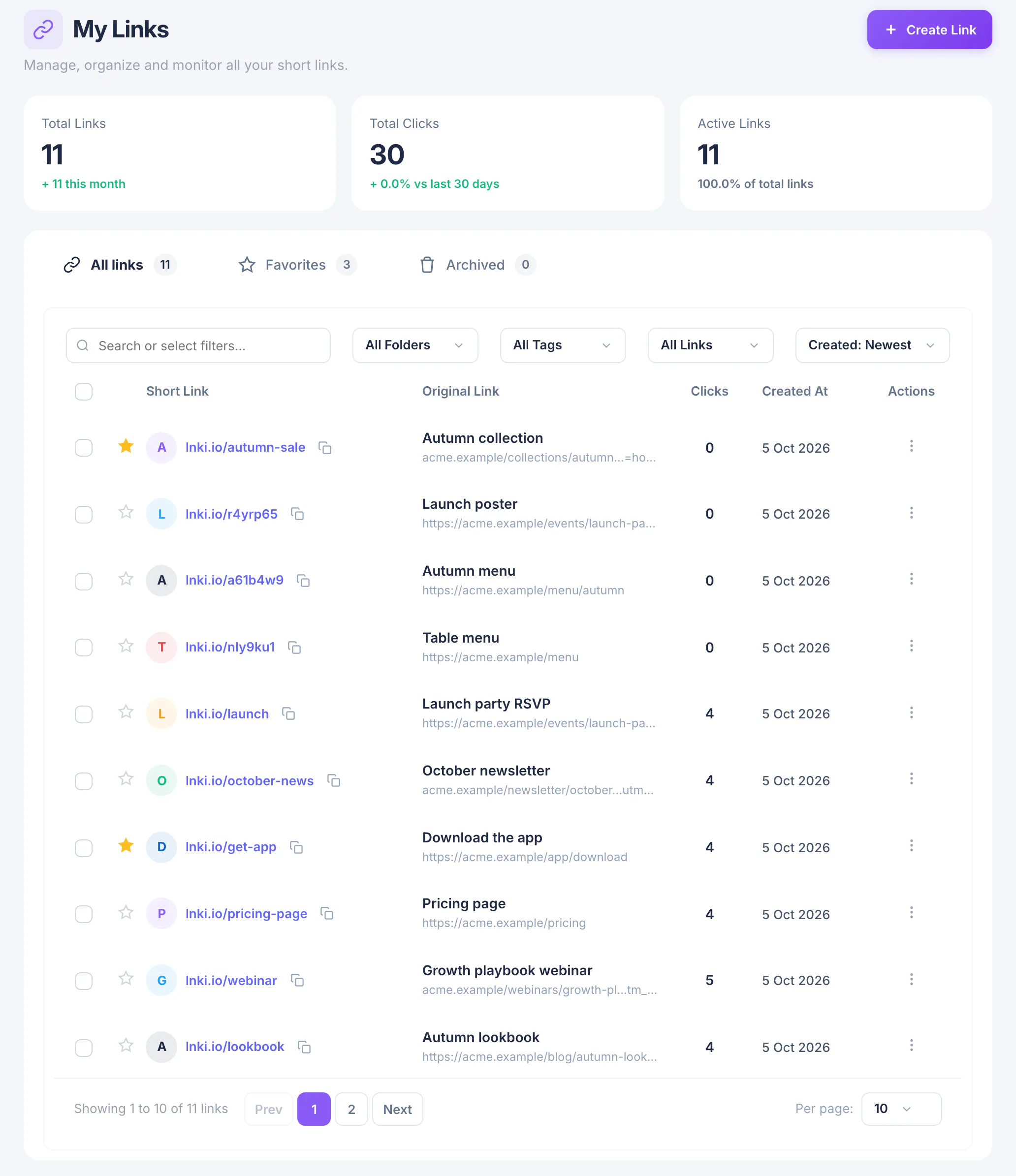
Every link you create is listed under My Links with its clicks and creation date. Star a link to add it to Favorites, or open the menu at the end of its row to copy, duplicate, archive or delete it.
What you have now
You have a working short link and know where to find it. Clicks start counting as soon as people open it.